


100+ BARCODES
Built-in Barcode Generator
Craft sharp, engraving-ready barcodes instantly. Multiple industry-standard styles including Code 128, Code 39, UPC and EAN to fit all your product labeling work.

CORE FEATURES
LaserMakerSpace keeps it simple — no bloated menus, no overwhelming options. Just the essentials, polished to perfection.
BUILT-IN LIBRARY
Jumpstart your projects with built-in templates, fonts, and material settings — all included free with LaserMakerSpace.
100+ BARCODES
Craft sharp, engraving-ready barcodes instantly. Multiple industry-standard styles including Code 128, Code 39, UPC and EAN to fit all your product labeling work.

10+ FONTS
Express yourself with a curated library of engraving-ready fonts — serif, sans-serif, script, stencil, and decorative styles for every creative need.
10+ MATERIALS
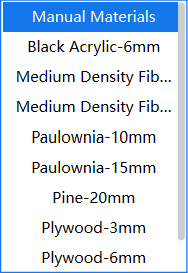
Recommended power and speed settings for wood, leather, acrylic, paper, glass, and more. Tested and optimized for Laservii engravers.
Pick a material to see recommended engraving parameters — optimized for Laservii machines.
SPEED
200 mm/s
POWER
80 %
PASSES
1 pass
HOW IT WORKS
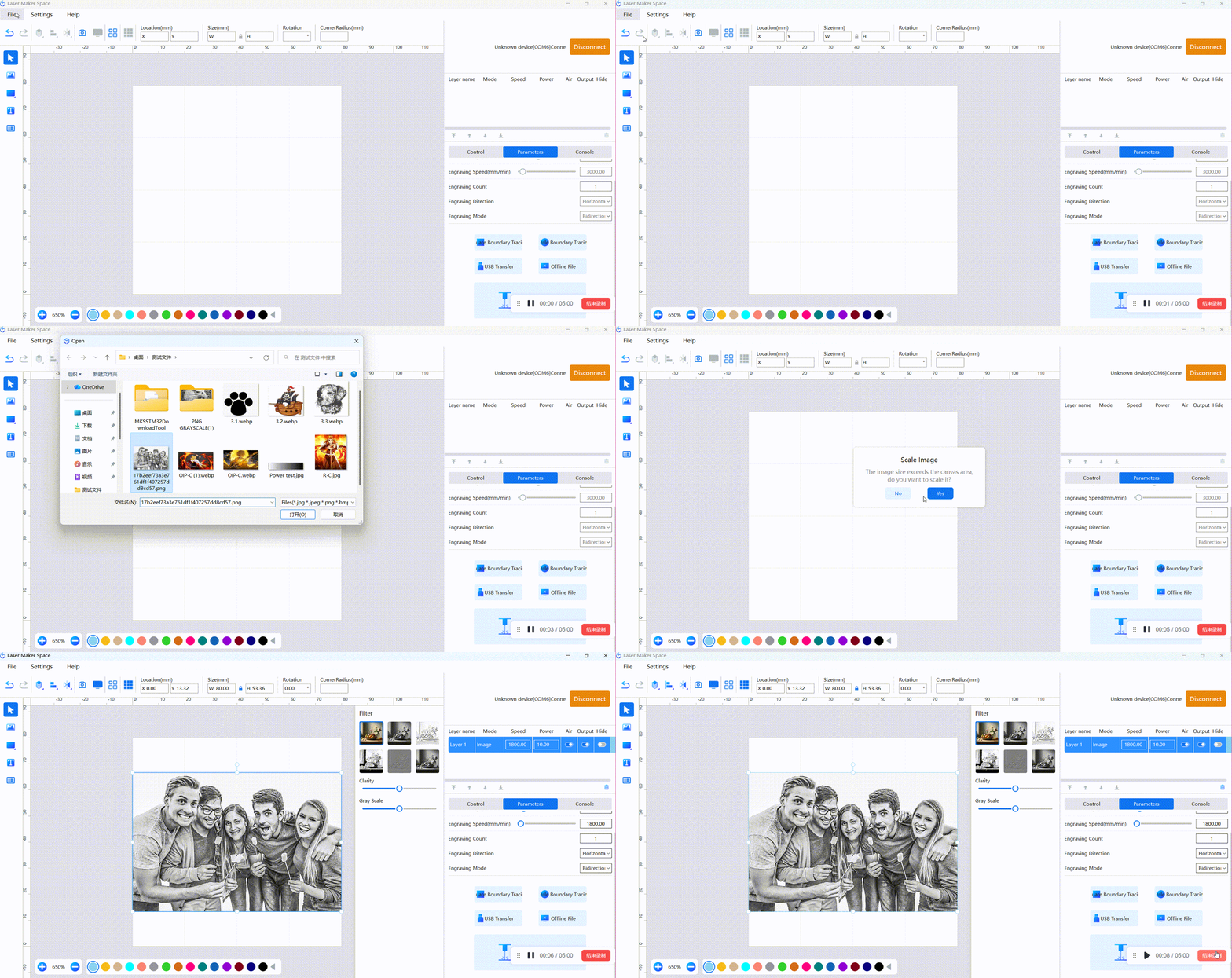
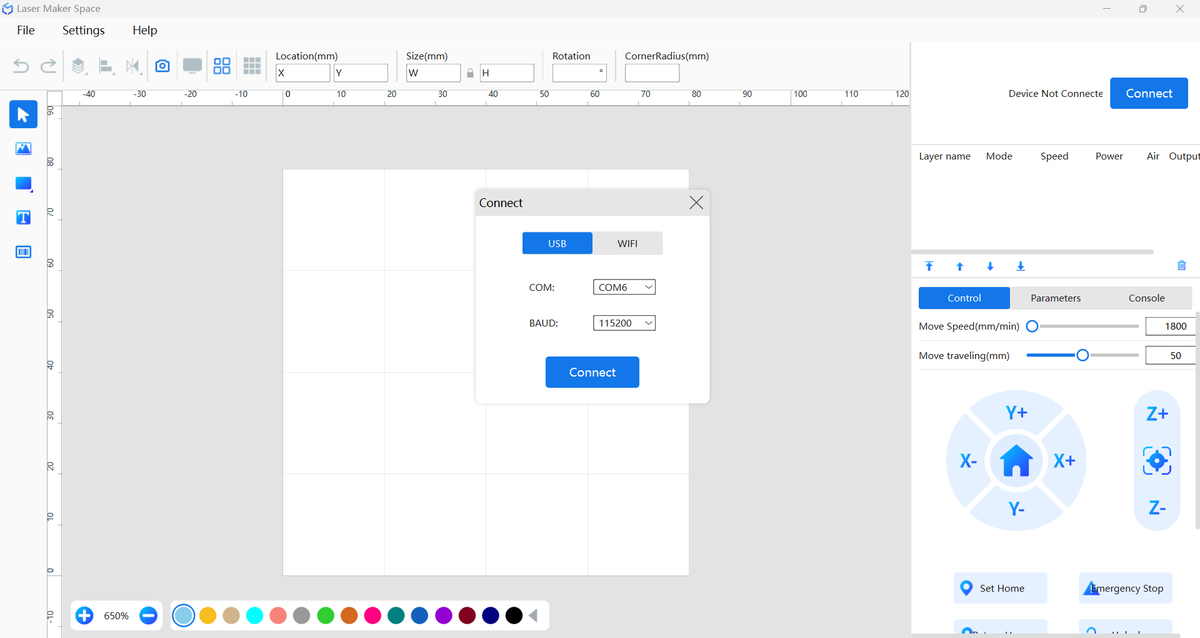
Follow the real LaserMakerSpace workflow: connect, import, apply presets, and engrave. Intuitive at every step.
PRO COMPATIBILITY
LaserMakerSpace is perfect for getting started. When you’re ready to level up, Laservii works with the industry’s most powerful laser software.
RECOMMENDED FOR PROS
The gold standard for professional laser engraving and cutting. Advanced layer control, precise node editing, powerful array tools, and native support for hundreds of materials.
Works with all Laservii models: M1s · L1 Mini · L1 Pro · L1 Plus
OPEN SOURCE · FREE
A free, open-source laser control program loved by hobbyists and makers worldwide. Lightweight, straightforward, and community-driven.
Compatible with all Laservii engravers via standard G-code
MOBILE APP
Control your Laservii engraver wirelessly from your phone or tablet. Import images, adjust settings, and start engraving from the palm of your hand.
Available for iOS and Android
DOWNLOADS
Choose your device and follow the simple setup guide. Download, install, and connect your laser in under 5 minutes.
Official Free Control Software for Laservii Engravers
Windows 10/11 (64-bit) · No credit card required
Pre-configured .lbdev device profiles for every Laservii model — import directly into LightBurn.
RESOURCES
Everything you need to get the most out of your Laservii engraver — guides, tutorials, and community support.
Step-by-step guides, FAQs, and troubleshooting tips for beginners and advanced users.
Learn by watching. From unboxing to advanced projects — follow along with our video guides.
Join thousands of makers. Share projects, ask questions, and get tips from the Laservii community.


